

Time and health are the two resources I protect most carefully. And I have spent an extraordinary amount of time over the years losing tools. Not dramatically; just the slow, grinding friction of not knowing where something is when I need it. I build things away from the computer. I fix things around the house and make things. I have tools spread across two locations. When someone asks to borrow a tool, the answer has always involved opening multiple drawers, checking multiple rooms, and occasionally discovering the saw was lent out three months ago. Consequently, my tool situation is always a mess.
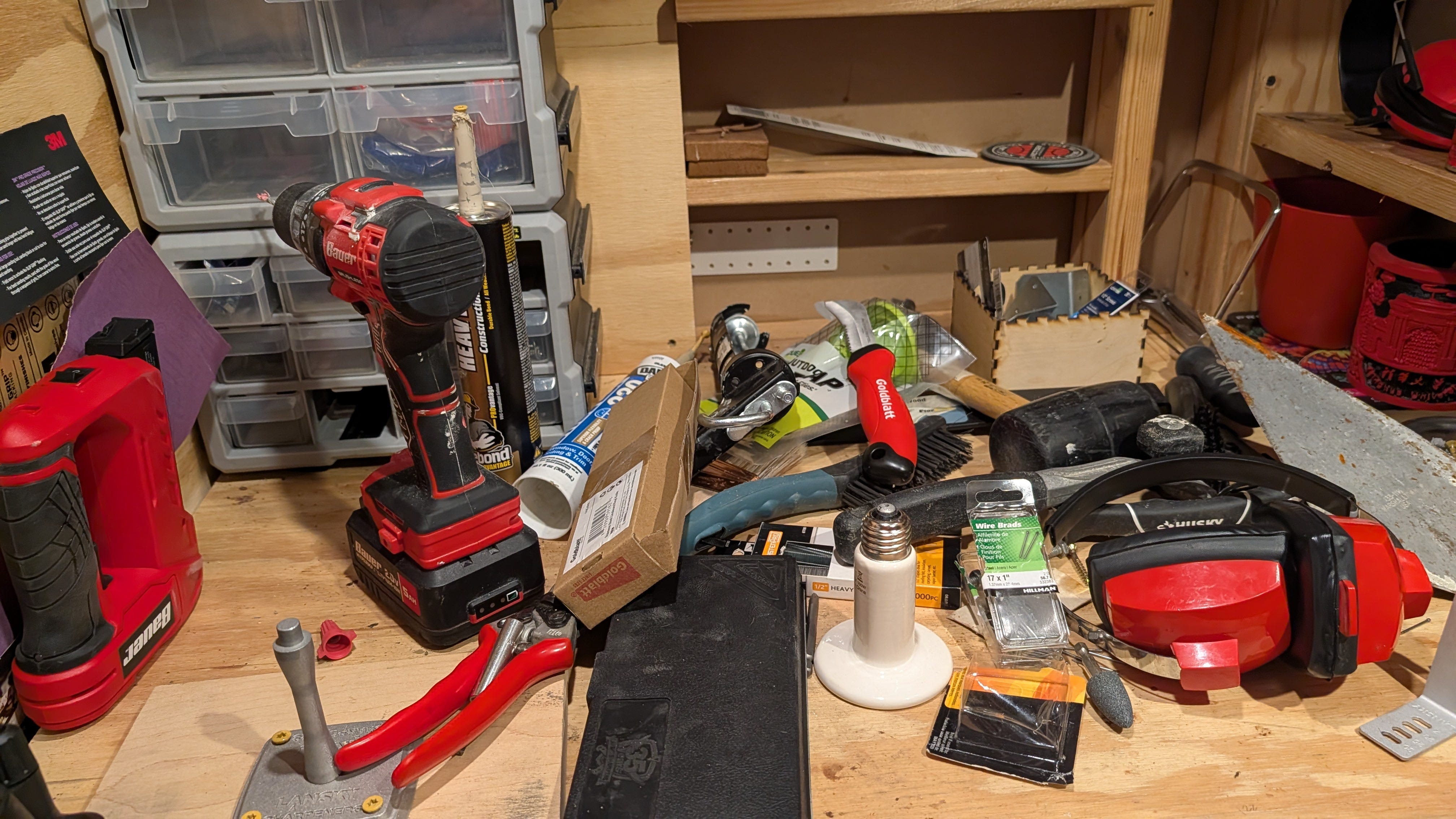
I have tried to solve this problem for years. Barcode scanners. Phone-based cataloging. Tagged spreadsheets. Each iteration of AI seemed to solve a different piece of the puzzle: storing data, retrieving data, and moving from keyword matching to semantic search. But none of those pieces ever assembled themselves into a working system.
What finally brought them together was understanding how skills work in agentic AI. Not a specific platform. Not a specific model. The concept of a skill itself: what it is, what it contains, and why it is the fundamental unit of useful AI work?
What a skill actually is
In the context of agentic AI, a skill is a structured set of instructions that teaches an AI agent how to perform a specific task using specific tools. It is not a prompt. It is not a chatbot personality. It is a complete operational manual for a defined piece of work.
A skill typically contains three things. First, the instructions: when to activate, what questions to ask, what logic to follow, and how to handle edge cases. Second, the tools: the external capabilities the agent needs to execute the task, such as a database, a file system, a web browser, or an API. Third, the output format: what the result should look like and how it should be delivered back to the user.
This is the critical distinction between agentic AI and conversational AI. A language model without skills can discuss tool organization strategies, recommend database schemas, and explain SQL syntax. A language model with the right skill can actually build the database, populate it from a photograph, query it in natural language, and return the answer to your phone. The skill is the bridge between knowing and doing.
Skills are not specific to any one platform
An important clarification: the concept of a skill is not unique to any single AI provider or application. OpenAI, Google Gemini, and Anthropic’s Claude have all adopted skills within their ecosystems. This is not a niche feature confined to one environment the way a Custom GPT is specific to OpenAI’s platform. Skills are the emerging standard for how agentic systems organize and execute structured work, across providers and across applications.
I use skills in OpenClaw, which is where I built the system I describe below. But I also use skills in Claude Desktop and Claude Code, each for different purposes. The underlying architecture is the same everywhere; a structured process description paired with tools, given to a language model that can decide when and how to invoke them.
If you already have a well-defined process description for a task, you already have the raw material for a skill. The agentic systems you may already be using support this capability. It is a matter of learning how to provide those instructions in the format the platform expects.
One practical note on cost: it is difficult to find an entirely free path through this ecosystem. OpenClaw itself is free and open-source, but it requires a language model to run, and capable models generally involve some expense, whether through API fees, a subscription, or the hardware to host a local model. Claude Desktop and Claude Code require subscriptions. A fully zero-cost setup is possible in narrow cases, but most people working with these systems should expect some cost. That is worth knowing upfront.
How skills have tools, and why that matters
The word “skill” can sound abstract until you see what sits inside one. A skill is not just prose instructions. It bundles tools; executable capabilities that the agent calls during the task. This is what gives an agent the ability to act on the world rather than merely describe it.
In the system I built, the skill is called tool-tracker. It lives in a single directory on my server and consists of four files: a SKILL.md instruction file and three Python scripts. Those scripts are the tools. One initializes the SQLite database and creates the tables. One inserts new tool records with location history logging. One handles search and filtering across multiple parameters. The agent also has direct SQL access for anything the scripts do not cover.
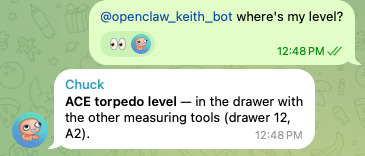
When I send a message to Telegram saying “where’s my level?”, the agent reads the SKILL.md file to understand how my location system works, calls the query script with the right parameters, receives the formatted results, and sends them back to me with the location and a photo of the drawer. The skill told it what to do. The tools let it do it. The model decided which tool to invoke based on my natural language request.
This is the anatomy of every agentic workflow: instructions, tools, and a reasoning engine that connects them. The skill is the package that holds the first two together. In my case, the agent harness, OpenClaw, provides the third.
What I built, step by step
I want to describe this concretely, because the details reveal how the process actually works. But I want to emphasize this. This entire workflow was developed in natural language. I didn’t write a single line of code. Do I trust it? Yes. Does it work? Yes.
Defining requirements through conversation
I started by opening a conversation with my OpenClaw agent, which I access through Telegram. I told it what I wanted: a database to manage physical tools spread across two locations, with the ability to query by name, category, or location, and to add new entries using photos and text. I asked it to plan the system before building anything.
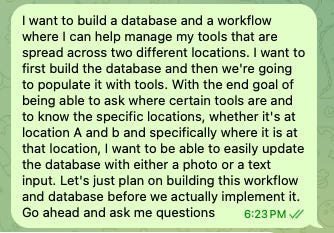
The agent asked clarifying questions. What are the two locations? What fields do I need per item? Am I entering data from my phone or a desk? Do I need to track who has something checked out, or just where it lives? What database format do I prefer? (Interestingly, I have been using OpenClaw to brush up on my language skills in preparation for a trip to China. Chuck, my OpenClaw, periodically drops some Chinese words to freshen my skills!)
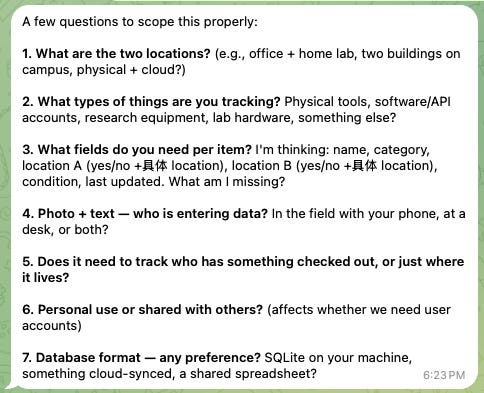
I answered each question in plain language. Home and workshop. Name, category, function, location. Phone, through Telegram. Just a location for now. SQLite is fine. The agent asked one more question that mattered: when a tool is “at home,” do I just need to know it is at Location A, or do I need to specify where at home? I told it I needed a second and possibly third level of storage definition. It immediately proposed a three-level hierarchy: Location, then Area/Zone, then Specific Spot. Home → Basement → Drawer 10. Workshop → Main Bench → Metal File Drawer.
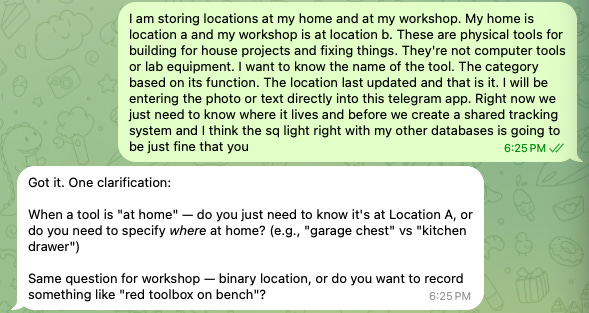
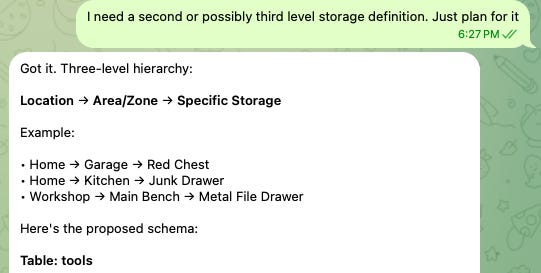
Then it proposed a database schema. Three tables. A main tools table with dual-location tracking, independent zone and spot fields for each location, condition monitoring, consumables, photo paths, and timestamps. A tool_needs table for tracking missing consumables and maintenance items, linked by foreign key. A tool_location_history table for an audit trail of every movement, with cascading deletes. It showed me the schema, explained the design decisions, and asked if I was ready to build. The entire schema was developed through the converstion I shared.
| Field      | Type                | Notes                                             |
| ---------- | ------------------- | ------------------------------------------------- |
| id         | INTEGER PRIMARY KEY | Auto                                              |
| name       | TEXT                | Tool name                                         |
| category   | TEXT                | Functional category (drill, saw, measuring, etc.) |
| location_a | INTEGER             | 1 if present, 0 if not                            |
| loc_a_zone | TEXT                | e.g., "Garage", "Kitchen"                         |
| loc_a_spot | TEXT                | e.g., "Red Chest", "Junk Drawer"                  |
| location_b | INTEGER             | 1 if present, 0 if not                            |
| loc_b_zone | TEXT                | e.g., "Main Bench"                                |
| loc_b_spot | TEXT                | e.g., "Metal File Drawer"                         |
| photo_path | TEXT                | Path to photo file                                |
| notes      | TEXT                | Optional                                          |
| created_at | TIMESTAMP           |                                                   |
| updated_at | TIMESTAMP           |                                                   |All of this happened in natural language, in Telegram, in a few minutes.
Building the skill
The agent then built the skill: the SKILL.md instruction file, the database initialization script, the tool insertion script, and the query script. The SKILL.md is over 100 lines of structured instructions that tell the agent when to activate, how the location hierarchy works, what follow-up questions to ask based on tool type (power tools get battery questions; cutting tools get blade questions; drills get bit questions), how to detect missing consumables and automatically add them to the needs list, and what SQL patterns to use for every type of search.
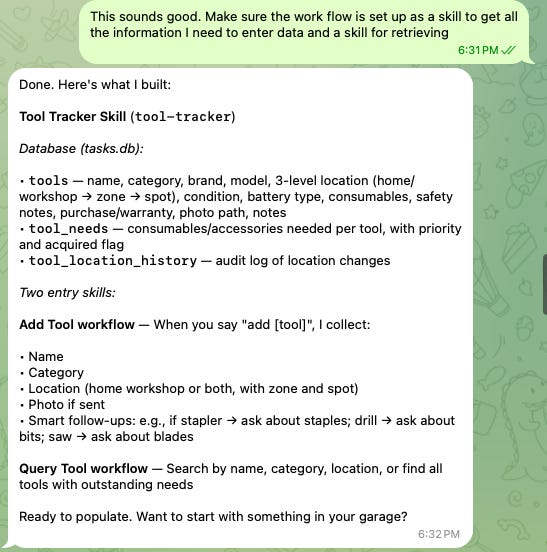
My workflow for developing skills like this involves Claude Code, Anthropic’s command-line coding agent, which I use to generate and refine the SKILL.md files and supporting scripts. OpenClaw itself runs on a small, locally hosted model on my VPS; that is sufficient for executing well-defined skills at low cost. But writing the skills themselves benefits from a more capable model that gets the logic right on the first attempt. Other people take different approaches. Some give their OpenClaw instance access to a large external model for everything. OpenClaw can even autonomously write its own skills. There is no single correct workflow.
Populating the database with photos
With the skill built, I started cataloging. I opened a drawer of pliers, took a photograph, and sent it to Telegram with the message.
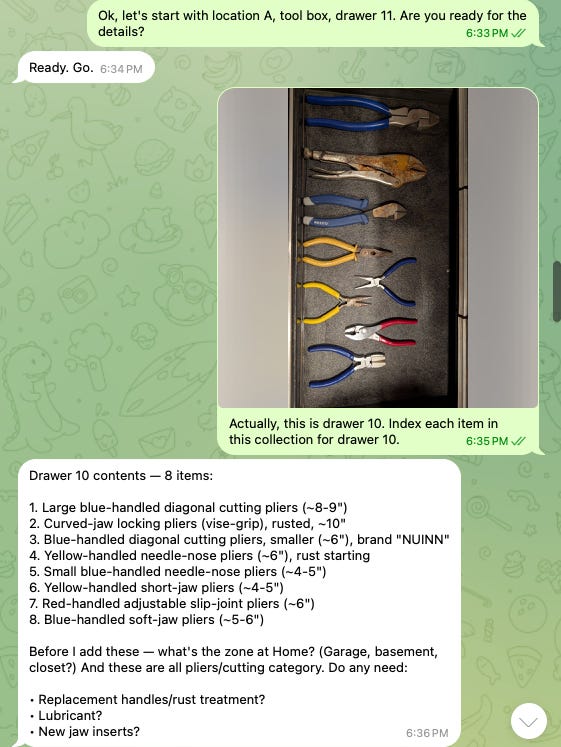
The agent used visual examination of the photograph to identify eight distinct tools: large blue-handled diagonal cutting pliers, curved-jaw locking pliers, a smaller pair of diagonal cutters branded NUINN, yellow-handled needle-nose pliers, and four others. It estimated sizes, noted visible rust on one pair, and listed all eight with descriptions. Before inserting them into the database, it asked two follow-up questions: which zone at home (basement, garage, closet?), and whether any consumables were needed, such as replacement handles, lubricant, or new jaw inserts.
It inserted all eight tools, linked them to the photograph, logged their initial locations in the history table, and confirmed the entries. I moved to the next drawer and repeated the process.
Quick fixes are also very simple.
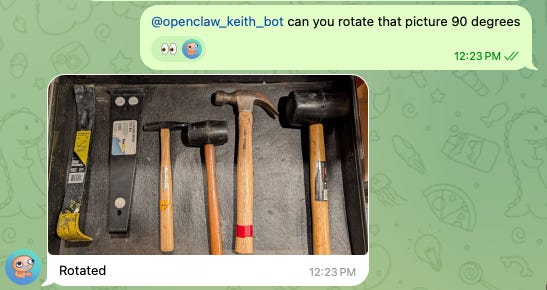
Now, populating the database, I just take a picture of the tool and tell its location. The entire cataloging process took less time than it took to write this post. That ratio, years of friction reduced to minutes of construction, is the clearest measure I have of what this technology is worth when it is applied with discipline.
Querying the system
The database now supports natural-language queries via Telegram. “Where’s my level?” returns the location (Ann Arbor, Basement, Red Tool Box Drawer 2) with a photo. “Show me all my cutting tools” returns seventeen results grouped by location. “What’s in Drawer 9?” returns the box cutters, blades, and knife stored there. “What tools need maintenance?” returns the two items flagged for attention. “What do I need to buy?” queries the needs table and returns outstanding consumables.
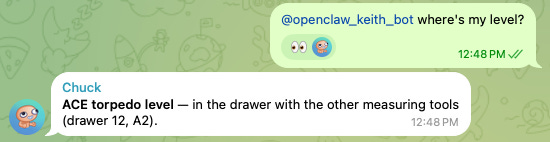
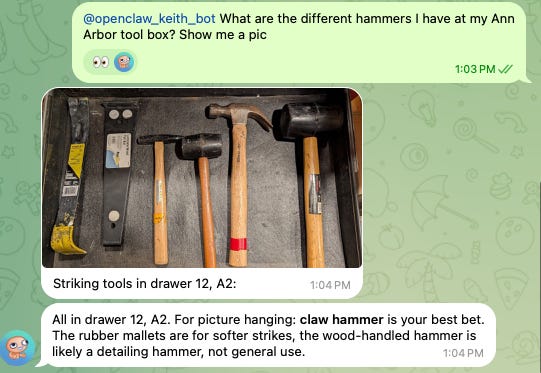
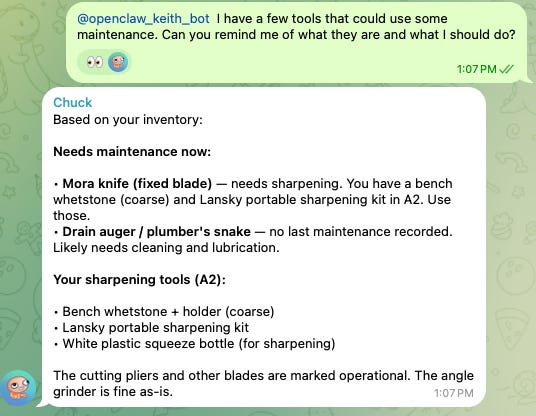
When I move a tool between properties, the agent updates the location flags, records the movement in the history table with a timestamp, and confirms the change — I just need to send a short message to make the update. The audit trail means I can reconstruct where any tool has been and when it moved.
All of this runs through natural language in Telegram. I want to manage the entire production workflow right from the messaging app I already use throughout the day. The system meets me where I am.
And it is extensible
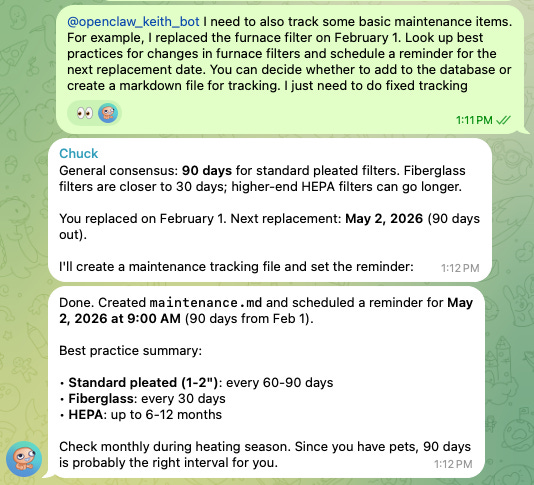
So, I have this database and set of skills all hooked up. I can now quickly add other automations and features. Since I am in the mood for house maintenance / DIY, I should probably add a few reminders to myself.
The anatomy of an agentic workflow
What I have described is not a chatbot. It is a structured workflow that includes a SQL database, Python scripts, vision-based data extraction, and natural language query processing, all orchestrated by a skill that tells the agent how to use each tool. The components are worth naming explicitly:
The skill (SKILL.md) contains instructions on when to activate, what to ask, what logic to follow, how to format the output, and which tools to call.
The tools (Python scripts and direct SQL access) are the executable capabilities: database initialization, record insertion with transaction management, multi-parameter search, and filtering.
The agent harness (OpenClaw) provides the runtime environment: routing messages from Telegram, loading the skill at session start, managing sessions, and letting the model decide which tool to invoke based on the user’s request.
The model is the reasoning engine that reads the skill, interprets the user’s natural language, decides which tool to call, processes the results, and formulates the response.
This four-part structure: skill, tools, harness, model, is the anatomy of every agentic workflow, regardless of platform. The specific technologies I chose are less important than the pattern.
The framework for building any workflow
The pattern is the same regardless of what you are building:
Define the problem concretely. What is the system supposed to do, stated in terms a person could understand and execute?
Decompose the task into discrete steps. Each step should be something a language model can perform reliably when given the right prompt and the right tools. If a step is too complex or ambiguous for a trained professional to execute consistently, it is too complex for a model.
Task Decomposition for AI Automation
Adapted from materials developed for the AI Law and Policy Clinic, University of Michigan Law School.
Identify the tools each step requires. Does the step need database access? File system operations? Web search? Vision? Each tool becomes part of the skill’s architecture.
Build each step as a skill. Give it clear inputs, clear instructions, and a clear output format. Test it. Refine it.
Connect the skills through the agent harness. The harness is the orchestration layer. The skills are the capabilities. The model is the reasoning engine that decides what to do.
None of this requires programming once the system is set up. The technical difficulty of building these workflows in the backend is remarkably low. The hard part is the thinking that precedes it: defining the requirements clearly enough that each step becomes a repeatable, reliable operation a language model can perform with the right prompt and the right tools.
That is the part most people skip. And it is the part that determines whether the result is a useful system or a frustrating toy.