

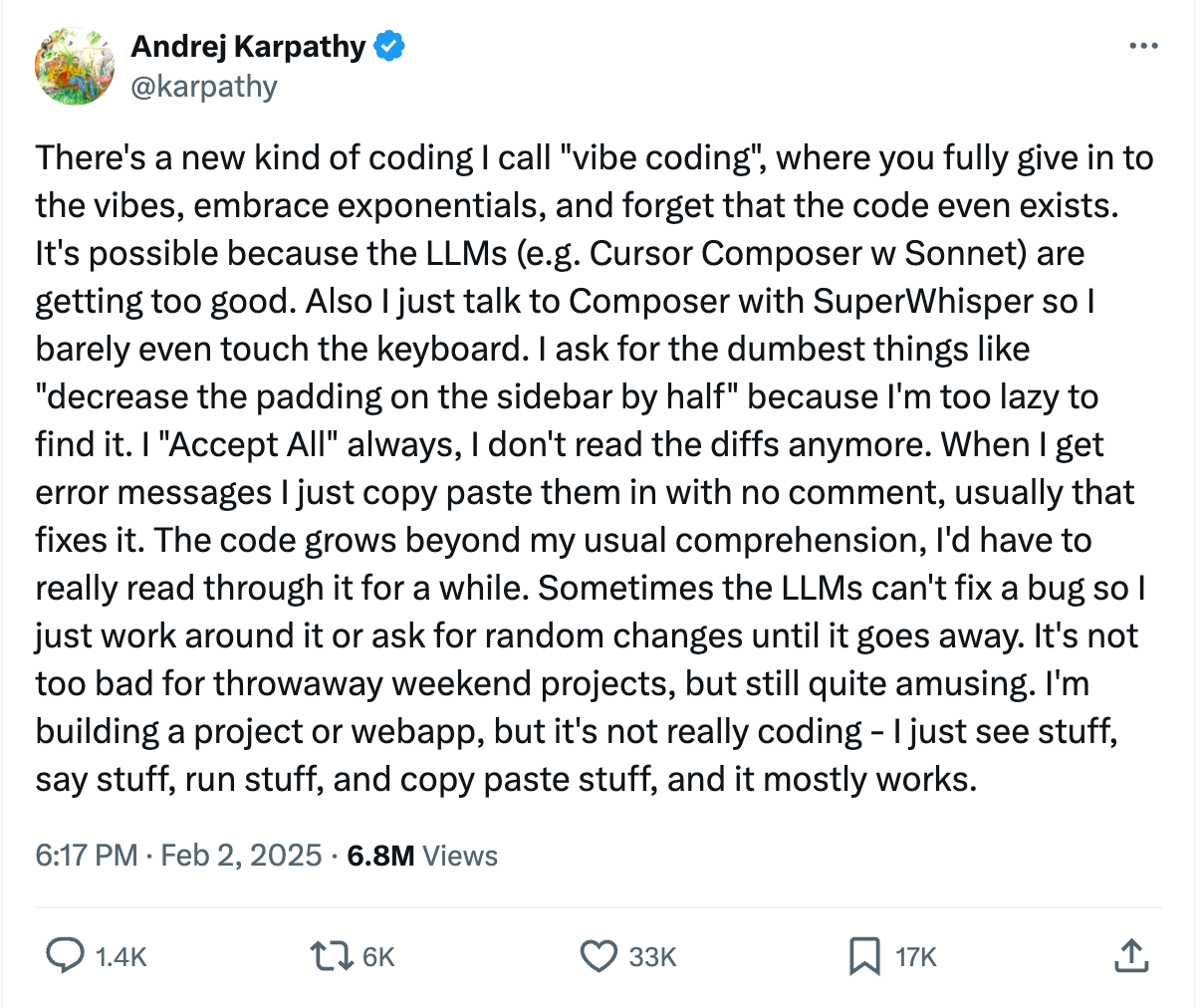
Andrej Karpathy coined the term “vibe coding” in early 2025, and it spread immediately. The phrase captures something real; you describe what you want, an AI builds it, and you iterate by feel. But Karpathy is a computer scientist, and the name reflects that origin. It puts “coding” at the center of the process. In my experience, that is exactly where it does not belong.
My most successful vibe coding projects succeeded not because the coding went well, but because the design thinking did. Frankly, the coding is the part that the AI handles. The part it cannot handle, at least not without sustained human judgment, is figuring out what to build, for whom, under what constraints, and at what scope.
Design thinking comes first
Before any code exists, there is a phase of problem definition that most people skip or underestimate. What is the actual problem? Who experiences it? What does a solution look like in their daily workflow? What are the constraints: technical, institutional, political, and budgetary? This is design thinking, and it is more demanding than people expect.
The difficulty is not in answering these questions. It is in constraining the answers. Scope discipline is the single most important skill in this process. The instinct is always to build the comprehensive system, the one that handles every edge case and serves every user. That instinct will sink your project before it starts.
I always push toward the MVP; the minimum viable product. What is the smallest thing you can build that will make a meaningful difference for this problem and give you a return on the time invested? Do not touch a coding tool until you can answer that question with specificity. You can use AI during this design phase; I have built a design thinking skill specifically for Claude that walks through these questions systematically. But the thinking is yours. The AI helps you structure it; it does not replace it.
From design to PRD
Once the design thinking is solid, the next step is producing a product requirements document. The PRD is a detailed written description that captures everything from the design phase: the problem definition, the target users, the workflows, the constraints, the scope boundaries, and whatever technical specifications you can identify. If you are early in your development experience, you may not be able to confidently select specific technologies; that is fine. The PRD remains the bridge between your thinking and the AI’s code.
This is the document you hand to your coding agent. Not a vague prompt. Not a wish list. A structured description of what needs to exist and why.
Building the proof of concept
With a PRD in hand, this is where a tool like Claude Code enters the process. But even here, the approach matters. You are building a proof of concept, not a production system. The goal is to take the simplest possible approach while remaining flexible enough for further development. Get the core idea working first. It may require refactoring later. That is expected and acceptable.
The critical point about this phase is that you are not problem-solving on the fly. Because you did the design thinking and wrote the PRD, you already know exactly where you are going. Your role during the build is not to generate solutions; it is to steer. You are continually directing the AI back toward the PRD, keeping it on task, and preventing it from drifting into unnecessary complexity. AI coding agents will happily solve problems you did not ask them to solve, add features you did not request, and make architectural decisions that complicate everything downstream. Your job is to read everything the system is doing, direct it to explain its choices, and course-correct when it veers off the plan.
This is where people misunderstand what “no coding experience” actually means in practice. You do not need to know how to write code. But you do need to understand what is being built. The AI’s role is not just to code for you; it is to help you comprehend what it is producing so that you can make informed decisions about direction. Ask it to explain. Ask it why it chose a particular approach. Ask it what alternatives exist. You are the project manager, the product owner, and the quality control system. The AI is the builder. If you abdicate the steering role, you end up with a product that technically runs but does not solve the problem you started with.
And yes, you do have to look at the code. Not to write it, but to verify it. Here is a concrete example that has bitten me repeatedly: when I am building an application that calls a language model, I specify the exact model I want in the PRD. Say I want Gemini 3.1 Pro, because it is the latest and most capable version for my use case. The coding agent writes the application, and everything looks correct in its summary. But when I inspect the actual code, it has substituted Gemini 2.5 or another older version because the agent’s training data predates the model I specified. It does not know the newer model exists, so it silently replaces it with one it recognizes. This is not a rare edge case. It has happened to me many times, across different coding agents and different model families. If I had not looked at the code, the application would have run fine, just with the wrong model powering it, producing different results than I intended. You do not need to understand every line. But you need to find the line that specifies which model is being called and confirm it matches what you asked for.
The emphasis on simplicity supports this dynamic. The less complex the build, the easier it is for you to follow what is happening and maintain control of the process. Until you have experience navigating that complexity, start with the smallest functional version of your idea and validate that it works before expanding.

Then you vibe
The “vibing” part, the part the term actually describes, comes last. It is what happens once you have a functional product and begin interacting with it, making adjustments, tweaking the interface, refining the behavior. This is genuinely enjoyable and genuinely productive, but it represents the final phase of a four-stage process, not the whole process.
So the actual sequence is: design thinking, then PRD, then building, then vibing. The term “vibe coding” captures only the last stage.
The essential toolkit
For those entering this space, the number of tools can feel overwhelming. But the core stack is smaller than it appears, and each tool occupies a distinct role.
Plain text and Markdown. Understanding how to work with plain-text files, specifically Markdown formatting, is foundational. This is how you will communicate with AI systems, structure documentation, and organize your thinking.
VS Code. You need an editor for working with Markdown and other plain text files, and VS Code is the standard. It is free, renders Markdown previews as you write, and integrates directly with GitHub and AI coding tools like Claude Code. If you are writing PRDs, editing configuration files, or reviewing code that an AI agent has generated, this is where that work happens.
LlamaParse. If Markdown is the foundational format, the immediate question is how to get your existing documents into it. Most professional documents, PDFs, Word files, and PowerPoints are not structured for AI consumption. LlamaParse, from LlamaIndex, is the best tool I have found for converting them into clean Markdown while preserving tables, headings, and structure. It offers 10,000 free pages per month, which is more than sufficient for development work.
GitHub. Version control is not optional. Your projects will evolve, break, and need to be rolled back. GitHub handles this, and AI coding tools integrate directly with it.
OpenRouter. This is my preferred service for model selection during development. It gives you access to a wide range of models through a single interface, which means you can quickly test different models for your specific application without managing multiple API accounts.
Claude Code. This is my primary development tool, and I use it for all my building work. It is the coding agent that turns a well-written PRD into a working application. Cursor and Google Antigravity are also strong options in this space; all three represent the new category of AI coding agents that can plan, execute, and iterate on code from natural language instructions.
Streamlit. When I need a simple interactive application, Streamlit is the fastest path. It lets you build functional web interfaces in Python with minimal frontend work.
Supabase. This one sounds more complicated than it is. Supabase is just a cloud database for working with data. When your project needs to store, retrieve, or manage structured information, Supabase provides a managed PostgreSQL instance with an accessible interface and good documentation.
This may sound like a lot of tools. But each one represents a major category: text formatting, editor, document conversion, version control, model access, coding agent, application framework, database, and together they form a toolkit that can address a remarkably wide range of problems. Build familiarity with these tools and their competitors, and you have a foundation that scales with your ambitions. And here is a practical tip: if you have a project in mind, drop this entire tool stack into your coding agent and ask it which ones are relevant to what you are trying to build. Let the AI help you navigate the choices.
The real skill
The term “vibe coding” is catchy, and the vibing part is real. But the skill that determines whether your project succeeds or fails is not the ability to prompt a coding agent. It is the ability to clearly define a problem, ruthlessly constrain your scope, and communicate your design in writing before the first line of code is written. The coding agent is powerful. What it needs from you is clarity about where to direct that power.
Totally Brian.... I think the big risk is assuming you can vibe code without understanding how to think about statistics (or, more broadly, problems). Perhaps this is the piece that is at risk when people move toward a coding tool without knowing how to design a problem.